
Devices
JetKVM Mini
JetKVM Mini is a matchbox-sized JetKVM with the same web interface, cloud and updates. It comes wired, as JetKVM Mini, or wireless, as JetKVM Mini W.
Which one do I have?
| JetKVM Mini | JetKVM Mini W | |
|---|---|---|
| Network | Ethernet (RJ45) | Wi-Fi, 2.4 and 5 GHz |
| Setup | Open the IP address on the display | Over Bluetooth, then the IP address on the display |
| Video | 1080p at 30 fps or 720p at 60 fps | 1080p at 30 fps or 720p at 60 fps |
| Extensions | USB, in a later release | USB, in a later release |
Ports
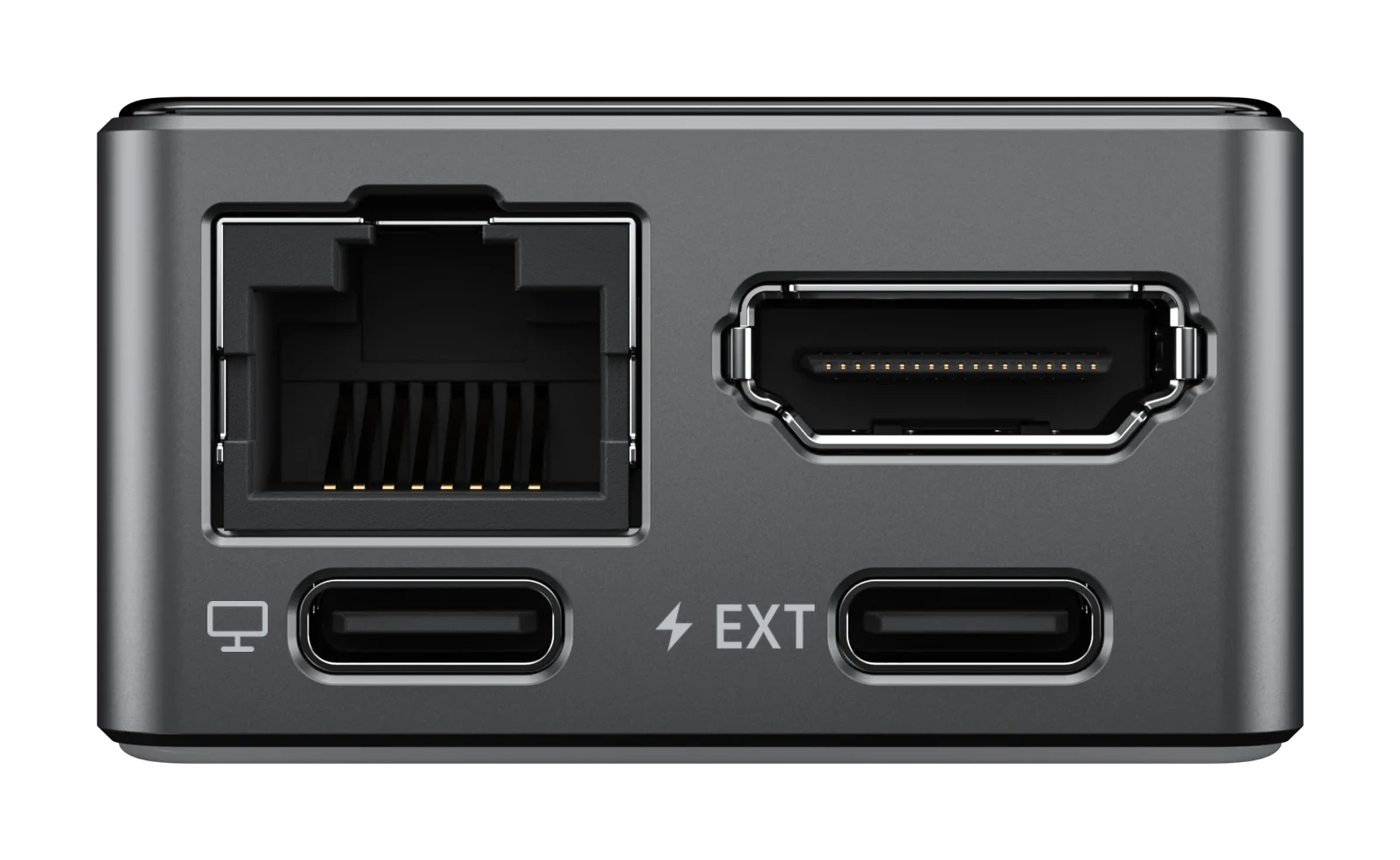
EthernetRJ45
HDMIFull-size
USB-CComputer
USB-CEXT
- Ethernet: network.
- HDMI: video from the target computer.
- USB-C to the target computer, marked with a monitor icon: USB 2.0 High Speed, for keyboard, mouse, virtual media and power.
- General-purpose USB-C, marked EXT: USB 2.0 Full Speed, for extensions and power.
- TF card slot, on the side: holds the images for Mount Drive.
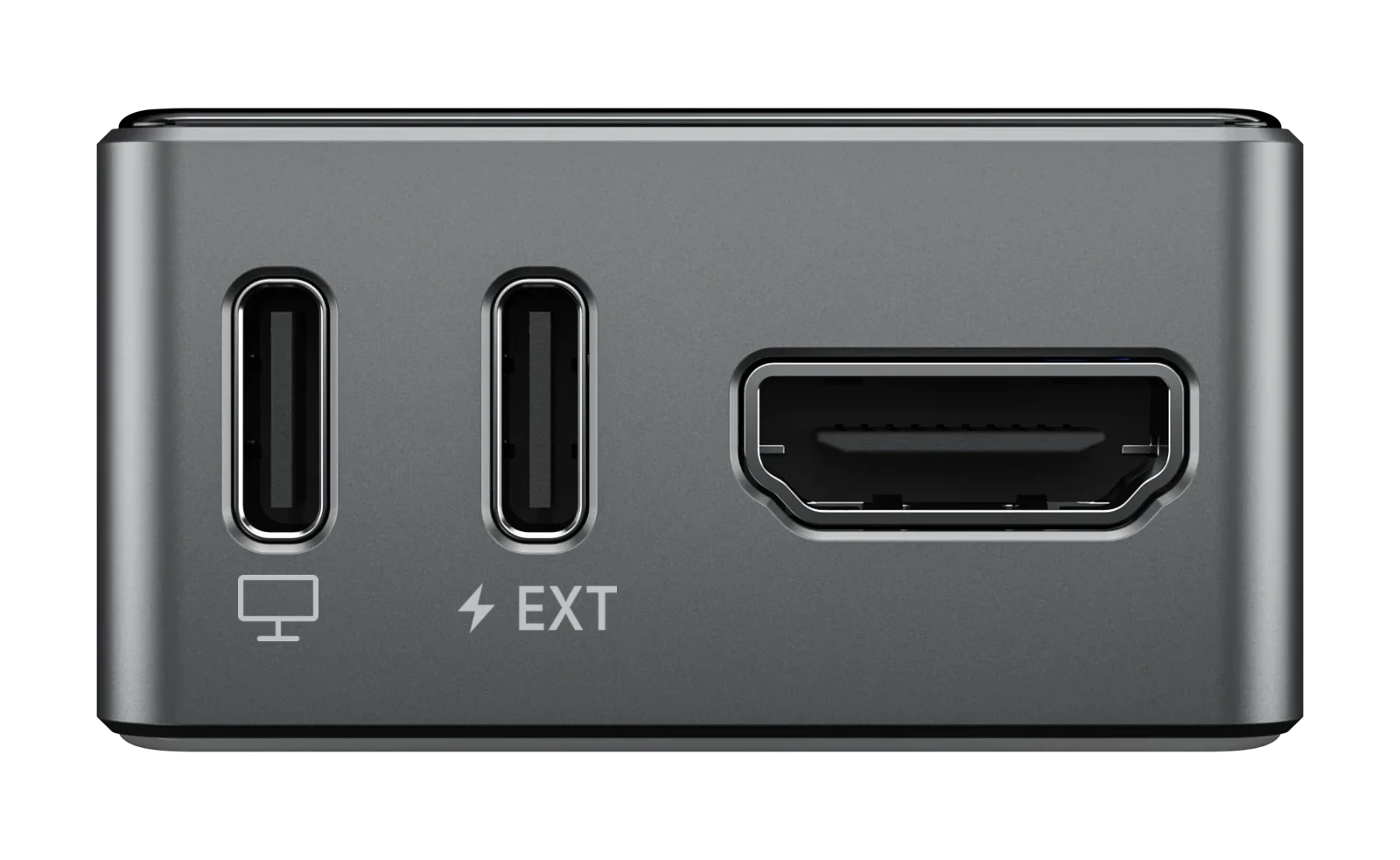
USB-CComputer
USB-CEXT
HDMIFull-size
- No Ethernet: the Mini W joins your network over Wi-Fi.
- HDMI: video from the target computer.
- USB-C to the target computer, marked with a monitor icon: USB 2.0 High Speed, for keyboard, mouse, virtual media and power.
- General-purpose USB-C, marked EXT: USB 2.0 Full Speed, for extensions and power.
- TF card slot, on the side: holds the images for Mount Drive.
Display
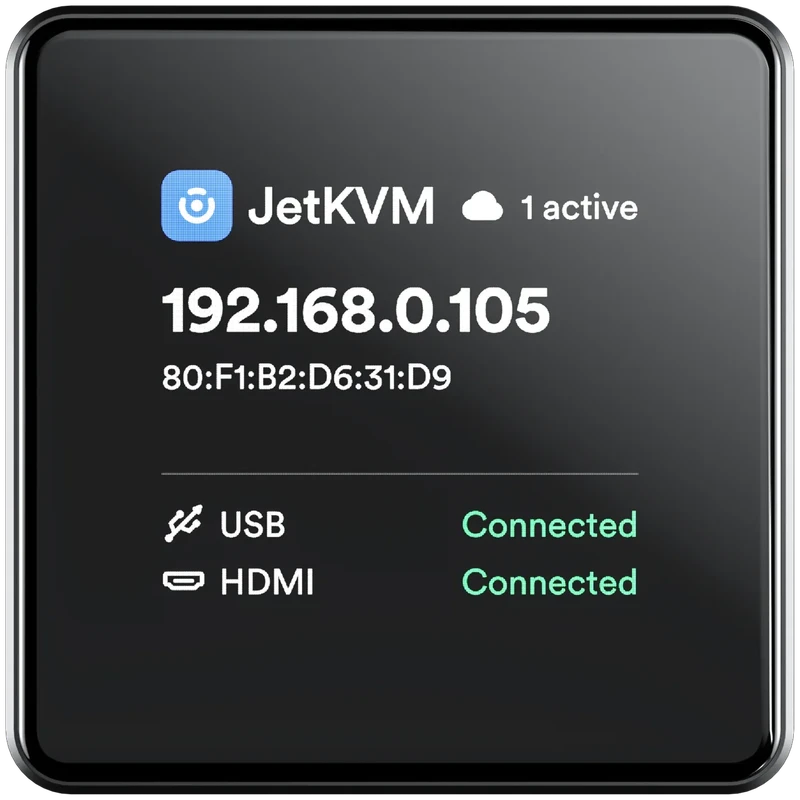
Active connections
Device IP
Device MAC
USB and HDMI status
- Device IP: the address to open the web interface at.
- Device MAC: the device's MAC address.
- Active connections: how many sessions are connected.
- USB and HDMI status: whether USB and video reach the target computer.
Power
The Mini runs on power from either USB-C port. Usually that's the target computer, over the same cable as keyboard and mouse. If the target computer doesn't provide constant power, plug a USB-C power supply into the general-purpose port instead.