
Devices
JetKVM
JetKVM comes in three versions. They run the same software, so everything outside this page works the same on all of them. The hardware differs in a few places, listed below.
Which one do I have?
Look at the right side of the case. A microSD slot means you have a JetKVM (microSD) or a JetKVM PoE; no slot means the original JetKVM.
| JetKVM | JetKVM (microSD) | JetKVM PoE | |
|---|---|---|---|
| HDMI | Mini HDMI | Full-size HDMI | Full-size HDMI |
| Storage | eMMC | microSD | microSD |
| Extension port | RJ-12 | 5-pin | 5-pin |
| Power | USB-C | USB-C | Ethernet (PoE) or USB-C |
| Recovery | DFU over USB | microSD card | microSD card |
Ports
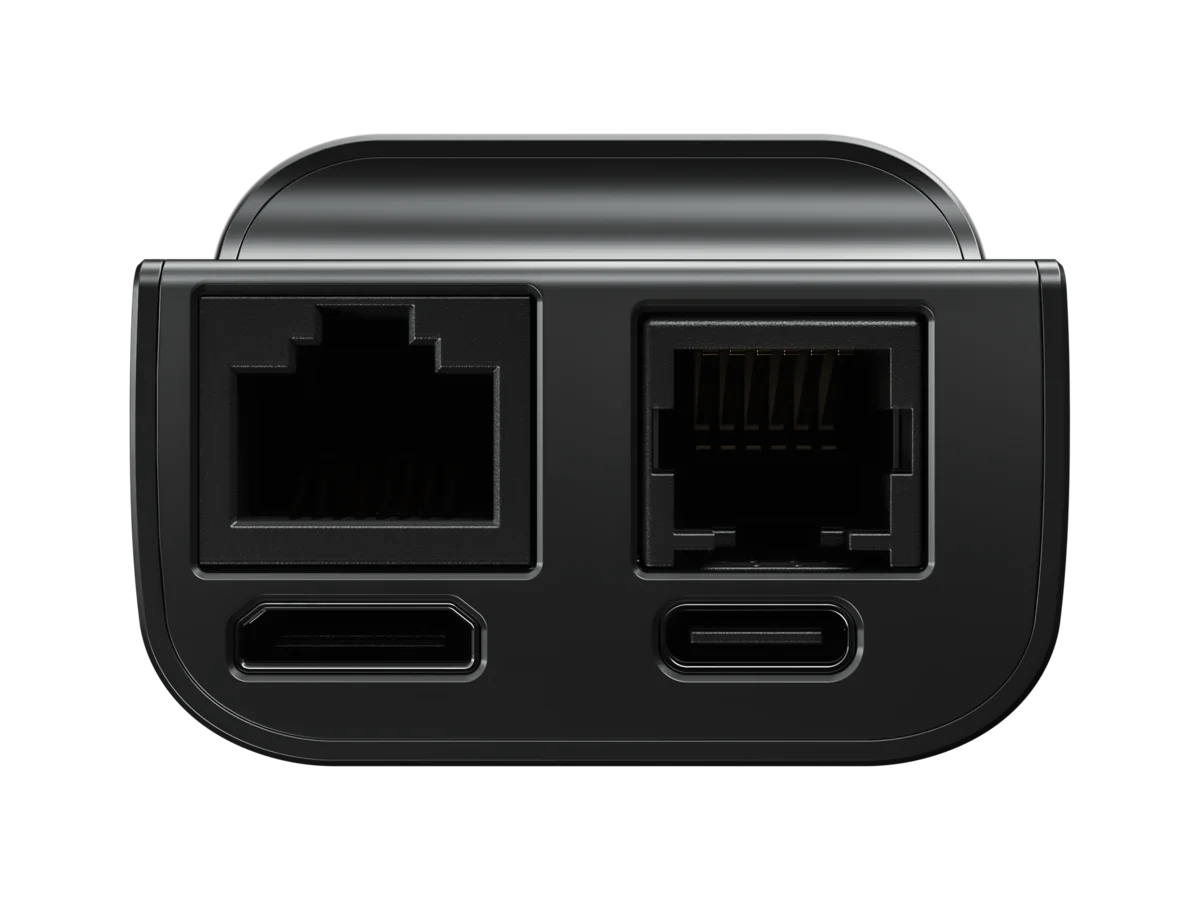
EthernetRJ45
Extension portRJ-12
Mini HDMI
USB-C
- Ethernet: network.
- Extension port: ATX power control, DC power control or the serial console, with an RJ-12 cable.
- Mini HDMI: video from the target computer.
- USB-C: to the target computer, for keyboard, mouse, virtual media and power.
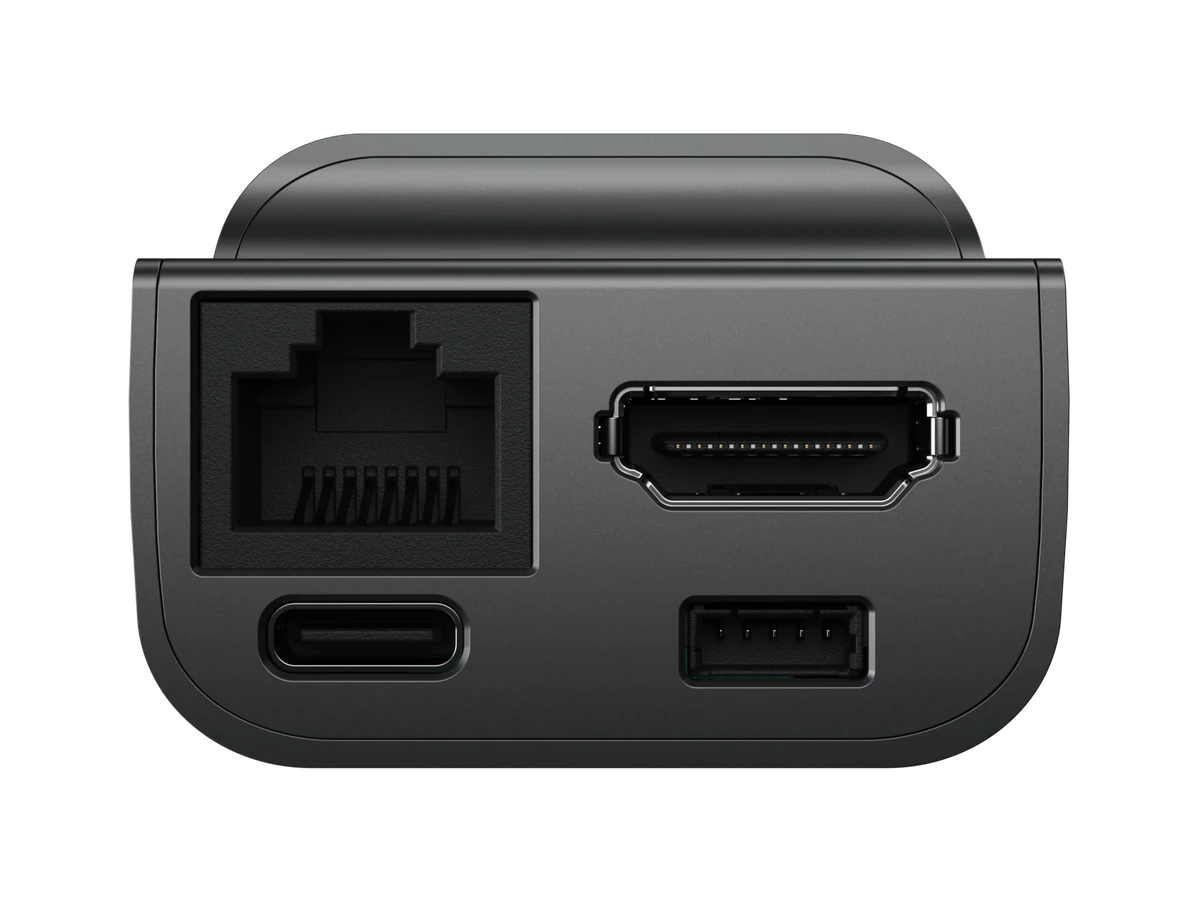
EthernetRJ45
HDMIFull-size
USB-C
Extension port5-pin
- Ethernet: network. On the JetKVM PoE it also powers the device.
- HDMI: video from the target computer.
- USB-C: to the target computer, for keyboard, mouse, virtual media and power.
- Extension port: the same extensions as the RJ-12 port, with a 5-pin to RJ-12 cable.
Front display

Active connections
Device IP
Device MAC
USB status
HDMI status
- Device IP: the address to open the web interface at.
- Device MAC: the device's MAC address.
- Active connections: how many sessions are connected.
- USB and HDMI status: whether USB and video reach the target computer.
Power
The most common way to power the JetKVM is through its USB-C port, connected directly to the computer you're controlling. Many computers have USB ports with constant power, though in some cases you may need to enable it in the BIOS or UEFI settings (often labeled "USB Power During Standby" or "USB Always On").
Reset and recovery
Extension port
Both ports carry the same signals and work with the same extensions; only the connector and its cable differ.
RJ-12 pinout
| Pin | Signal | Description |
|---|---|---|
| 1 | GND | Ground |
| 2 | UART_RX | Serial receive |
| 3 | UART_TX | Serial transmit |
| 4 | 3V3 | 3.3V supply |
| 5 | NC | Not connected |
| 6 | VSYS | 5V bus |