
Control any
computer remotely.
Plug it into the video output and a USB port, and the screen, keyboard and mouse are in your browser. Nothing to install on the machine you control.
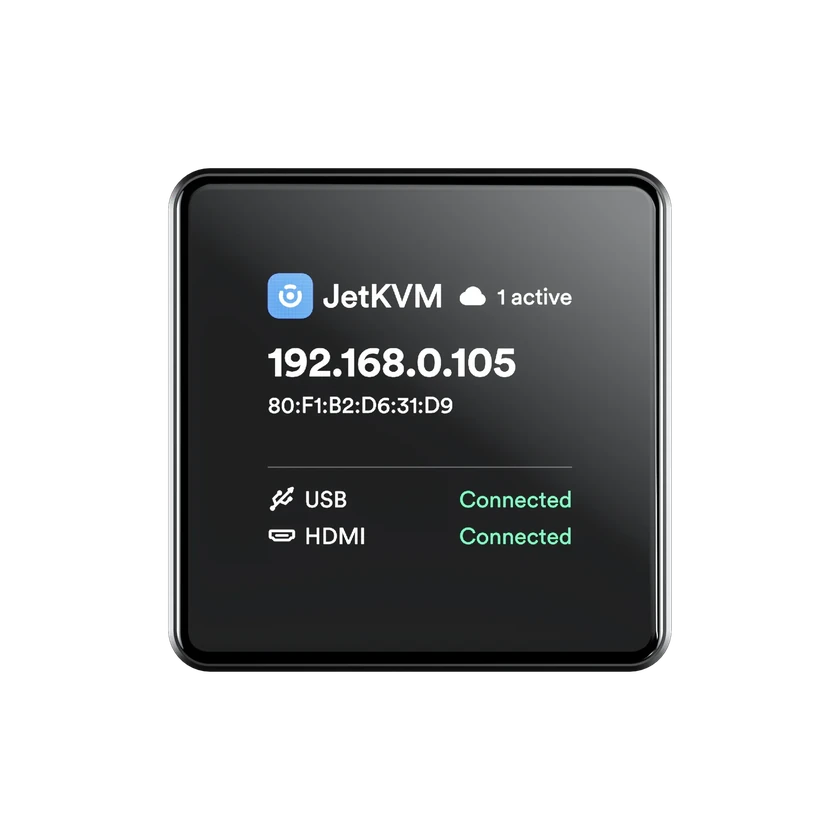
New · Ethernet or Wi-Fi
JetKVM Mini
Matchbox-sized, with full-size HDMI, a status display and Tailscale built in.
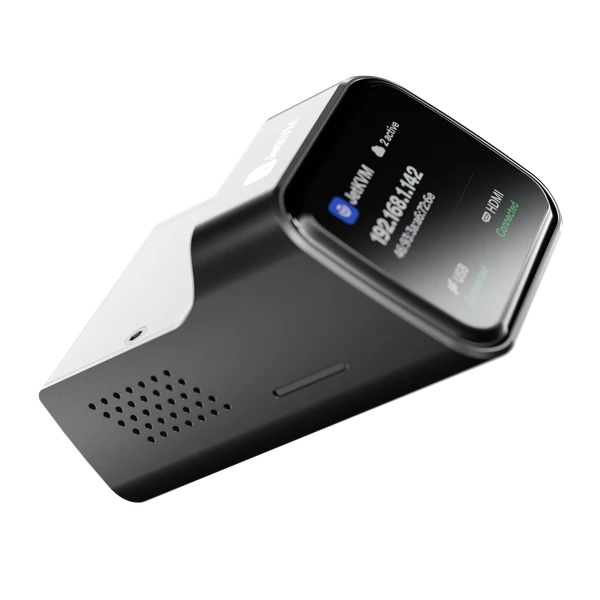
Ethernet or PoE
JetKVM
Full-size HDMI, a status display, and a port for the ATX and DC extensions.
Connect JetKVM to any computer
See and control it
KVM stands for keyboard, video and mouse. You see its screen and type and click as if you sat in front of it.
Keyboard and mouseFix it without being there
Mount an ISO, type the disk password, pick the boot device. To the computer, JetKVM is just a USB drive and a keyboard.
Virtual mediaTurn it on and off
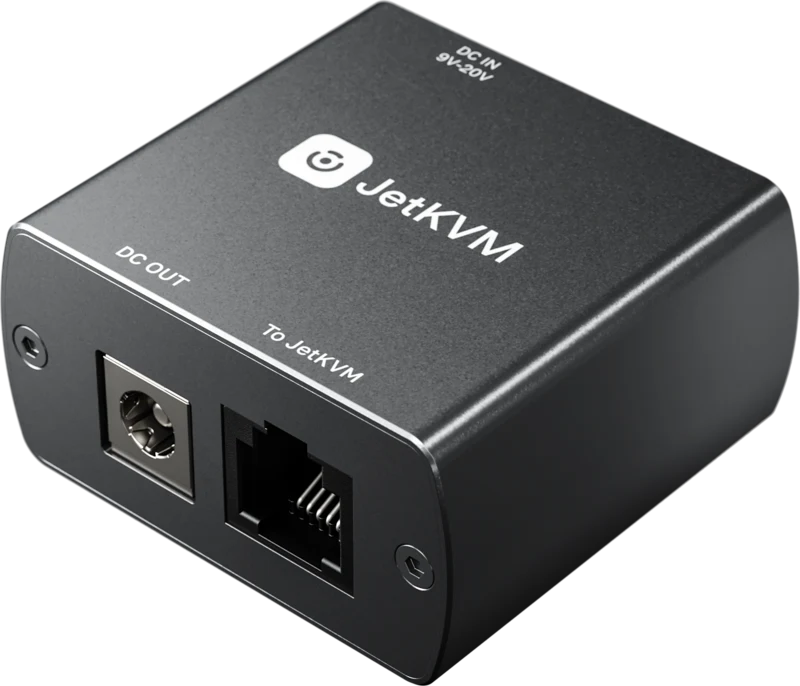
The ATX extension presses its power and reset buttons. The DC extension switches anything on a barrel plug. Or wake it over the network.
Extensions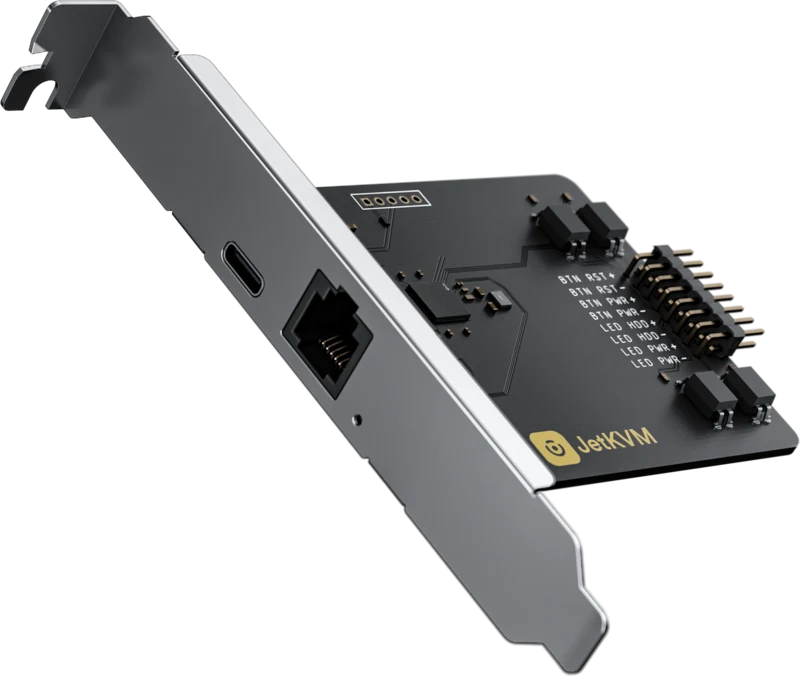
'%20d='M96%20183.4A63.7%2063.7%200%200%201%2072.6%20160L17.2%2064A128%20128%200%200%200%20128%20256l55.4-96A64%2064%200%200%201%2096%20183.4Z'/%3e%3cpath%20fill='url(%23b)'%20d='M192%20128a63.7%2063.7%200%200%201-8.6%2032L128%20256A128%20128%200%200%200%20238.9%2064h-111a64%2064%200%200%201%2064%2064Z'/%3e%3ccircle%20cx='128'%20cy='128'%20r='52'%20fill='%231a73e8'/%3e%3cpath%20fill='url(%23c)'%20d='M96%2072.6a63.7%2063.7%200%200%201%2032-8.6h110.8a128%20128%200%200%200-221.7%200l55.5%2096A64%2064%200%200%201%2096%2072.6Z'/%3e%3c/svg%3e)

'%20x:href='%23a'%3e%3cstop%20offset='.76'%20stop-opacity='0'/%3e%3cstop%20offset='.95'%20stop-opacity='.5'/%3e%3cstop%20offset='1'/%3e%3c/radialGradient%3e%3cradialGradient%20id='f'%20cx='2523'%20cy='4680'%20r='20243'%20gradientTransform='matrix(-.03715%20.99931%20-2.12836%20-.07913%2013579%203530)'%20x:href='%23a'%3e%3cstop%20offset='0'%20stop-color='%2335c1f1'/%3e%3cstop%20offset='.11'%20stop-color='%2334c1ed'/%3e%3cstop%20offset='.23'%20stop-color='%232fc2df'/%3e%3cstop%20offset='.31'%20stop-color='%232bc3d2'/%3e%3cstop%20offset='.67'%20stop-color='%2336c752'/%3e%3c/radialGradient%3e%3cradialGradient%20id='g'%20cx='24247'%20cy='7758'%20r='9734'%20gradientTransform='matrix(.28109%20.95968%20-.78353%20.22949%2024510%20-16292)'%20x:href='%23a'%3e%3cstop%20offset='0'%20stop-color='%2366eb6e'/%3e%3cstop%20offset='1'%20stop-color='%2366eb6e'%20stop-opacity='0'/%3e%3c/radialGradient%3e%3cpath%20id='h'%20d='M24105%2020053a9345%209345%200%2001-1053%20472%2010202%2010202%200%2001-3590%20646c-4732%200-8855-3255-8855-7432%200-1175%20680-2193%201643-2729-4280%20180-5380%204640-5380%207253%200%207387%206810%208137%208276%208137%20791%200%201984-230%202704-456l130-44a12834%2012834%200%20006660-5282c220-350-168-757-535-565z'/%3e%3cpath%20id='i'%20d='M11571%2025141a7913%207913%200%2001-2273-2137%208145%208145%200%2001-1514-4740%208093%208093%200%20013093-6395%208082%208082%200%20011373-859c312-148%20846-414%201554-404a3236%203236%200%20012569%201297%203184%203184%200%2001636%201866c0-21%202446-7960-8005-7960-4390%200-8004%204166-8004%207820%200%202319%20538%204170%201212%205604a12833%2012833%200%20007684%206757%2012795%2012795%200%20003908%20610c1414%200%202774-233%204045-656a7575%207575%200%2001-6278-803z'/%3e%3cpath%20id='j'%20d='M16231%2015886c-80%20105-330%20250-330%20566%200%20260%20170%20512%20472%20723%201438%201003%204149%20868%204156%20868a5954%205954%200%20003027-839%206147%206147%200%20001133-850%206180%206180%200%20001910-4437c26-2242-796-3732-1133-4392-2120-4141-6694-6525-11668-6525-7011%200-12703%205635-12798%2012620%2047-3654%203679-6605%207996-6605%20350%200%202346%2034%204200%201007%201634%20858%202490%201894%203086%202921%20618%201067%20728%202415%20728%202952s-271%201333-780%201990z'/%3e%3cuse%20fill='url(%23b)'%20x:href='%23h'/%3e%3cuse%20fill='url(%23d)'%20opacity='.35'%20x:href='%23h'/%3e%3cuse%20fill='url(%23c)'%20x:href='%23i'/%3e%3cuse%20fill='url(%23e)'%20opacity='.4'%20x:href='%23i'/%3e%3cuse%20fill='url(%23f)'%20x:href='%23j'/%3e%3cuse%20fill='url(%23g)'%20x:href='%23j'/%3e%3c/svg%3e)
Open it in any browser, from anywhere
Your Local Network
On the same network, open JetKVM's IP address in a browser. No account, no internet.
JetKVM Cloud
Free, optional and open source. Connect from anywhere with no ports forwarded.
Host your own cloudTailscale
Built into JetKVM Mini, one script on JetKVM. It joins your tailnet like any other machine.
Set it up
Remote desktopneeds a running OS. JetKVM works without one.
Open the BIOS
Change firmware settings and pick the boot device.
Rescue a frozen machine
Nothing responds, but you still see the screen and can type.
Reinstall from an ISO
Put a fresh OS on bare metal, without a USB stick.
Turn it on and off
Wake it over the network, or switch it on with a power extension.
Open source, and reviewed everywhere
The firmware, the web interface and the cloud are all on GitHub. Read the code, self-host the cloud, or send a fix.

Stay up to date with what we ship
New features, product launches and early access, straight to your inbox.